Download AetherSX2 for Android, iOS, Windows, Linux, MacOS
AetherSX2 is a PlayStation 2 emulator that's now very popular on Android devices. It offers several performance optimization features for the best PS2 gaming experience.
What is AetherSX2?
The most capable PlayStation 2 emulator for ARM devices.
AetherSX2 is currently the most popular PS2 emulator for Android, thanks to its proven stable performance. It runs a wide range of PS2 games smoothly and offers various features that users can enable to optimize their gaming experience. Beyond Android, AetherSX2 also supports other ARM64 platforms, including Windows, Linux, and macOS. This offers gamers a new way to play PS2 console titles on their devices without needing to purchase an actual PS2 console.
AetherSX2 is currently very popular within the Android community, particularly among mobile gamers. This emulator is highly stable and reliable for running PS2 game discs, offering various features that allow users to maximize their gaming experience. To optimize performance on your device, you need to adjust driver and controller configurations—along with other settings—to suit your hardware's capabilities.
AetherSX2 features
Here is what the AetherSX2 emulator offers, so you can discover the interesting features you can enable. Below are some of the features available in AetherSX2.
Vulkan, OpenGL, and software rendering
AetherSX2 supports graphics rendering via the device's GPU using Vulkan or OpenGL, and also offers a Software Rendering option that utilizes the CPU. Vulkan generally delivers better performance on modern devices equipped with Snapdragon and Dimensity chipsets, whereas OpenGL serves as an alternative when games encounter graphical issues, such as corrupted textures or visual effects failing to render correctly. If compatibility problems arise with either of those options, Software Rendering can be used as a last resort; while it offers superior compatibility, its performance is significantly lower.
Internal resolution scale
PS2 games were built for roughly 640×480. AetherSX2 can render them at two, three or more times that internally, so edges stop shimmering and small text becomes readable on a modern panel. The cost lands almost entirely on the GPU, so the practical ceiling is set by your device rather than by the emulator.
Save states coexist with memory cards.
Save States allow you to save the entire game state at any point and restore it instantly. This feature is particularly useful for getting past difficult boss battles or long game sections that lack checkpoints. Save States complement—rather than replace—the emulated PS2 memory card system, so you can still use the game's built-in save mechanics to save your progress normally.
Per-game configuration
AetherSX2 allows you to save custom configurations for specific games. Settings such as the renderer, internal resolution, and other graphics options can be adjusted to meet the specific needs of a particular game. Once saved, these configurations are applied automatically whenever the game is launched, so you do not need to manually adjust settings every time you switch games.
Multi-threading and speed hack
AetherSX2 can utilize multiple CPU cores to run Emotion Engine and Vector Unit emulation more efficiently. Additionally, various optimization options—such as cycle rate and cycle skip settings—are available to boost performance by reducing the emulation workload. These settings can help run demanding games with more stable frame rates, though overly aggressive use may lead to compatibility issues or glitches in certain titles.
Gamepad and on-screen controls
AetherSX2 supports various gamepads via Bluetooth or USB OTG, including DualShock and Xbox controllers as well as generic devices. Each button can be configured to suit your playstyle. If you are not using a gamepad, you can play using on-screen virtual controls; the layout can be repositioned, resized, or hidden so as not to obstruct the gameplay area.
Compressed image format
AetherSX2 supports various PS2 game image formats, including ISO as well as compressed formats like CHD and CSO. Support for compressed formats helps reduce game file sizes without needing to store images in their original size, thereby saving storage space and allowing you to keep more games on your device.
Widescreen Support
AetherSX2 can adjust game visuals for optimal display on modern screens, including widescreen devices. Thanks to support for various graphics options and display adjustments, PS2 games can offer a more comfortable gaming experience on smartphones with high-resolution screens.
How to install AetherSX2 and the PS2 BIOS
Follow these steps to set up the emulator on your device.
Download and start setup
First, download the AetherSX2 application, the PS2 BIOS, and the game you want to play. Once downloaded, install and open the AetherSX2 application. Once opened, you'll see a welcome page — just select Next.
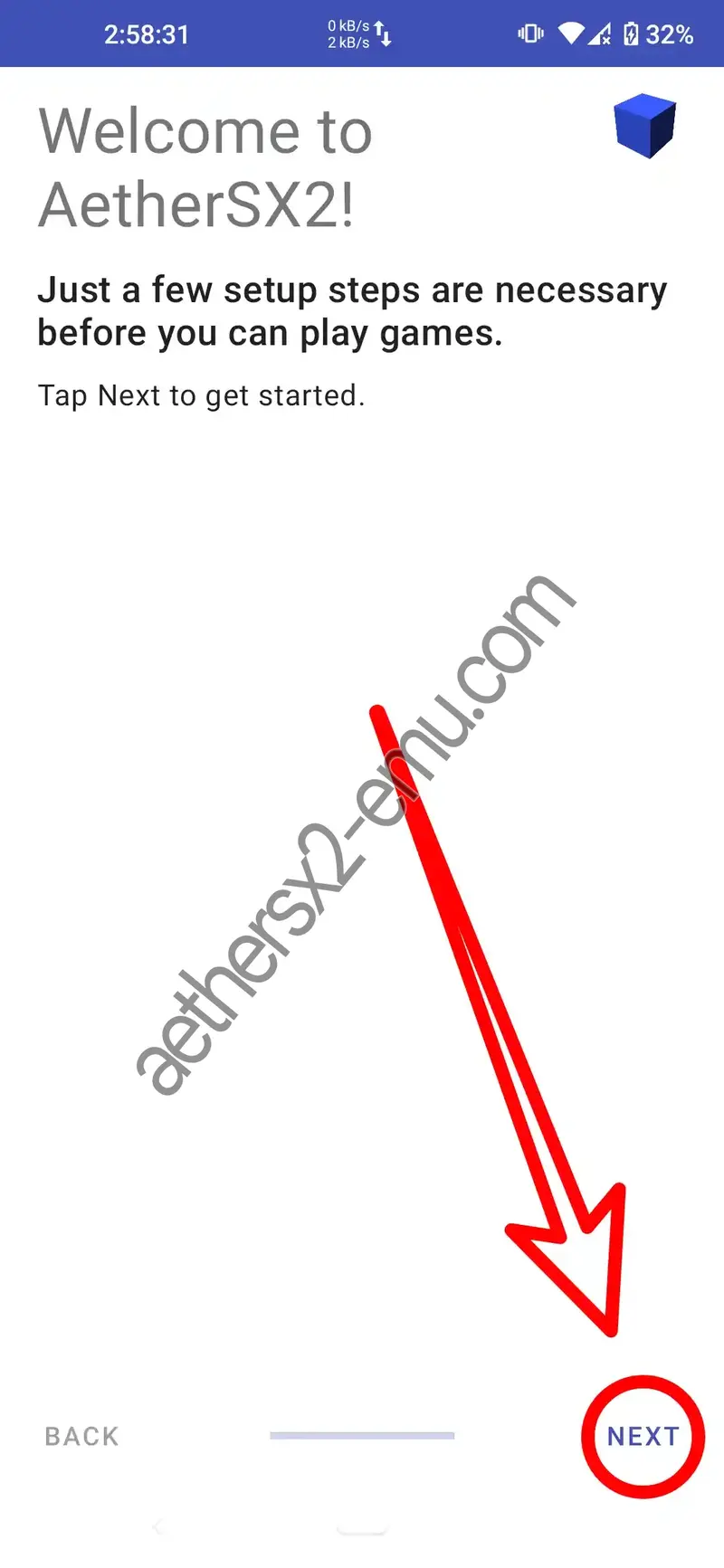
Review the FAQ
You'll see a Frequently Asked Questions (FAQ) screen. It's a good idea to read through it. When you're ready, tap Next.
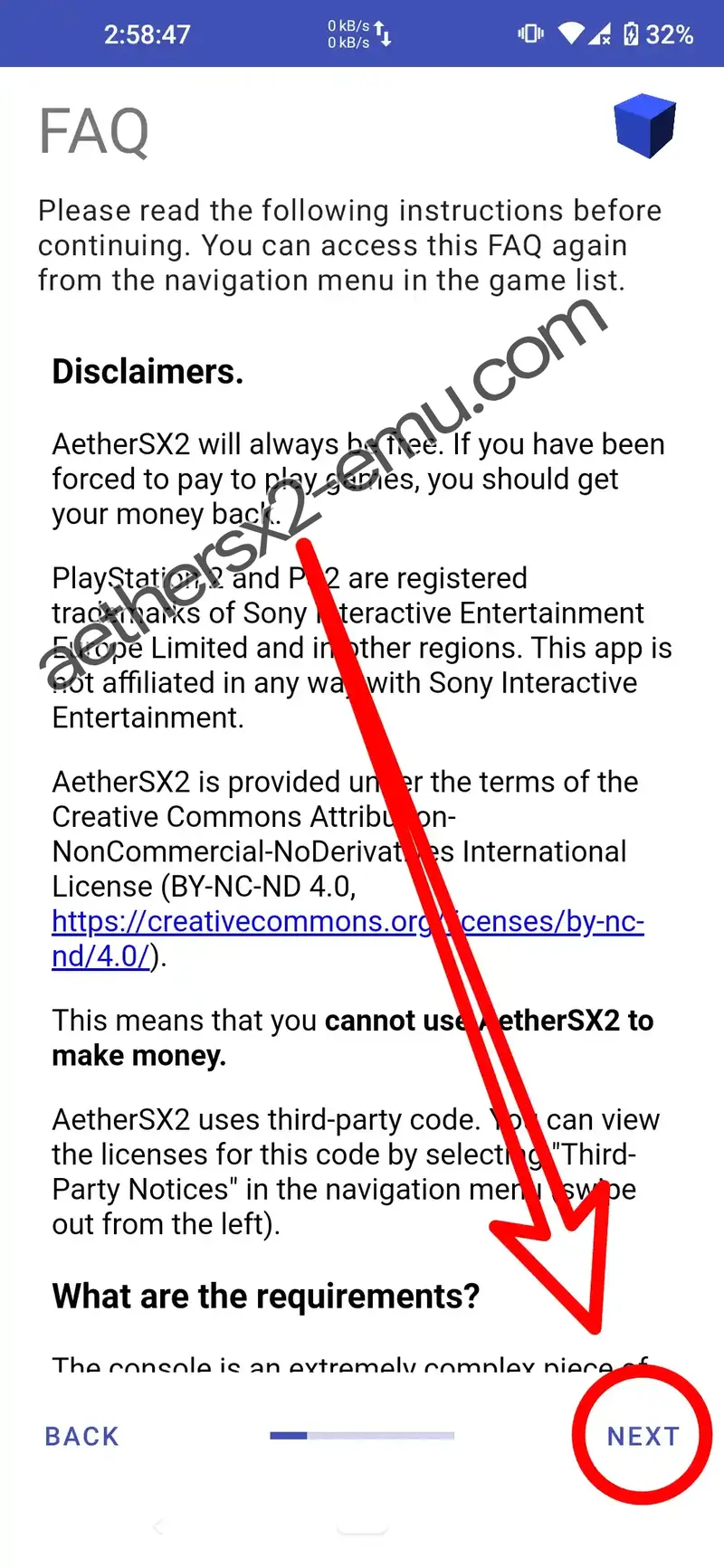
Choose performance settings
Select Optimal/Safe for high-end devices or Fast/Unsafe for low-end devices. The default setting is usually the best choice to start with.
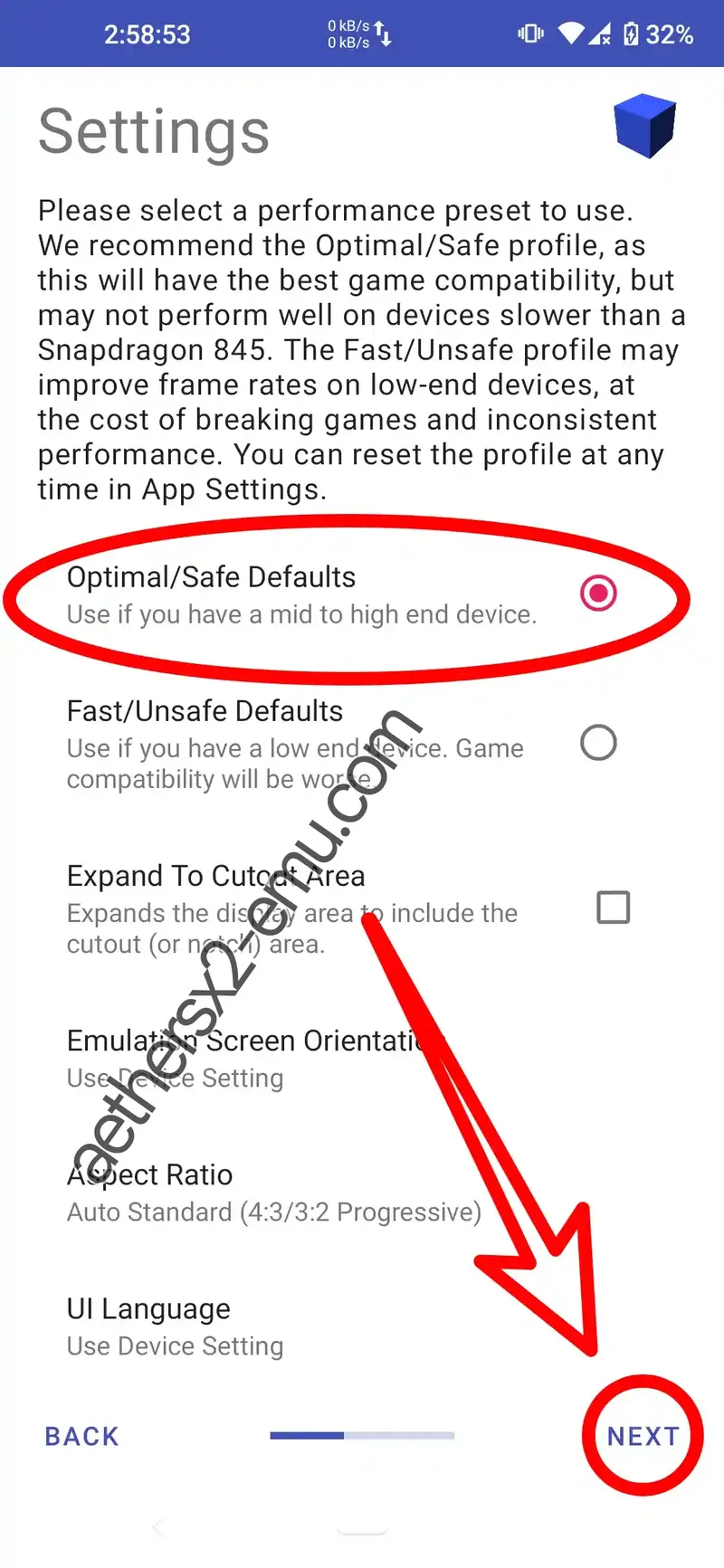
Import the PS2 BIOS
Now, you need to import the PS2 BIOS file you downloaded earlier. Tap the Import BIOS button.
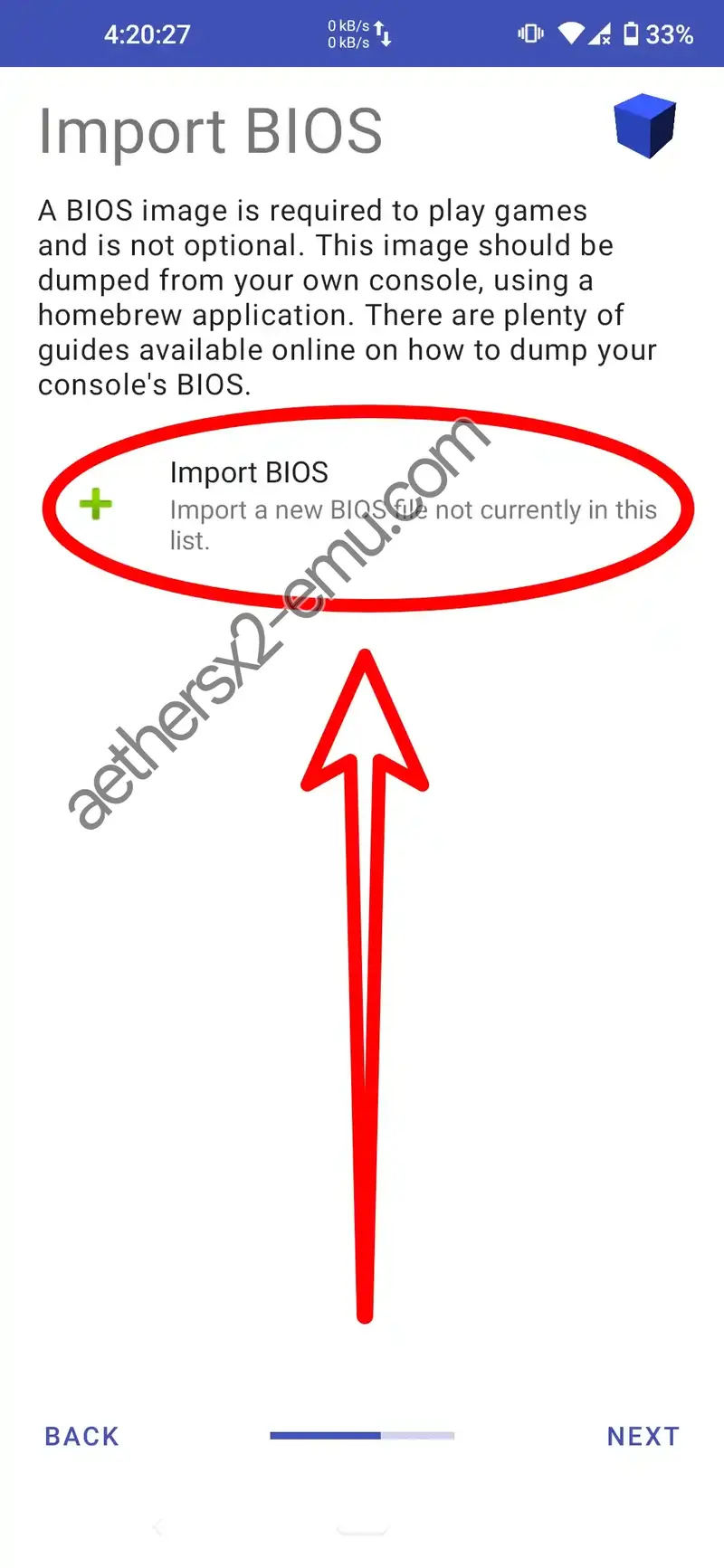
Select the BIOS file
Navigate to the location where you saved the BIOS file and select it.
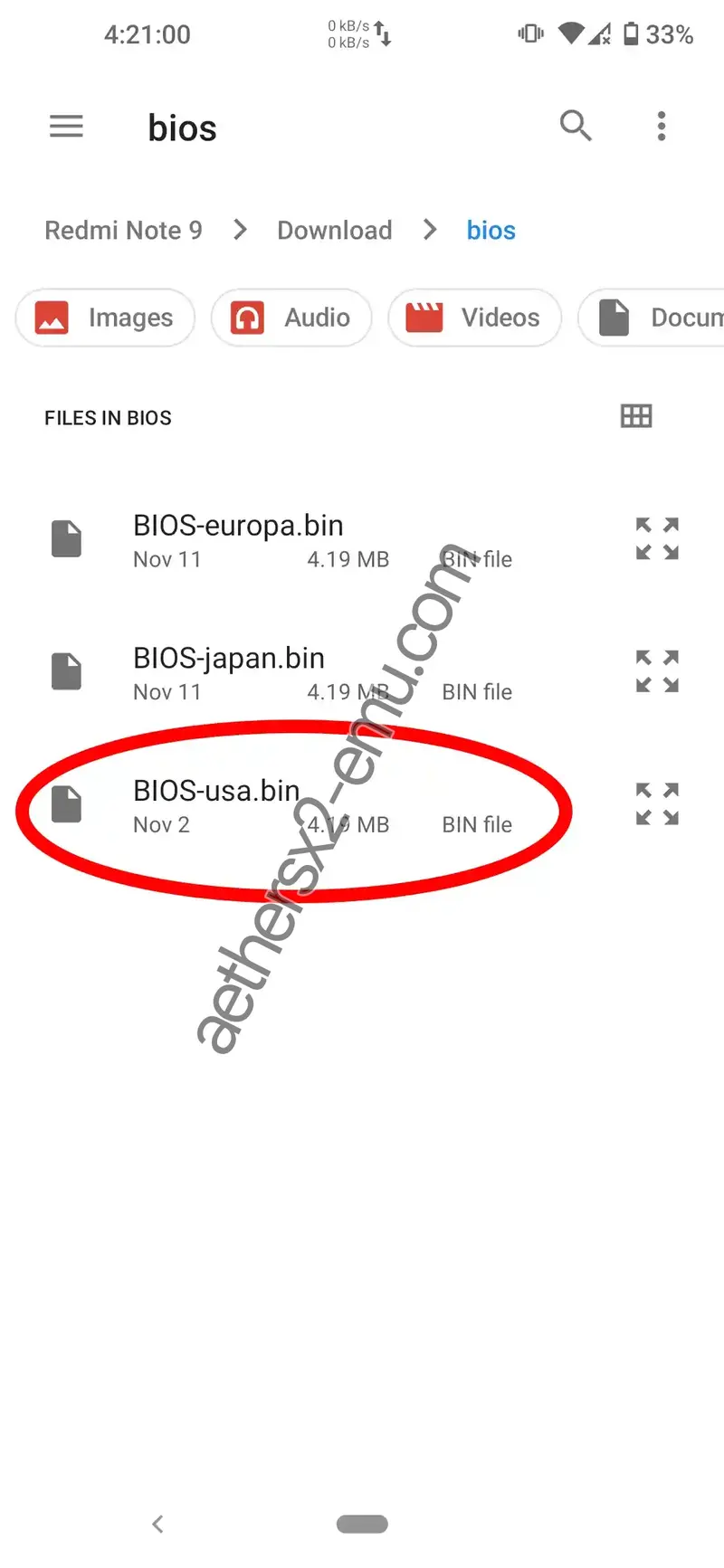
Confirm the active BIOS
You can select the BIOS that has been detected and whether it is active. After that, you can press Next.
Add a game directory
On this page, you'll need to add a folder where you store your PS2 games. Simply press the + button to add a game directory.
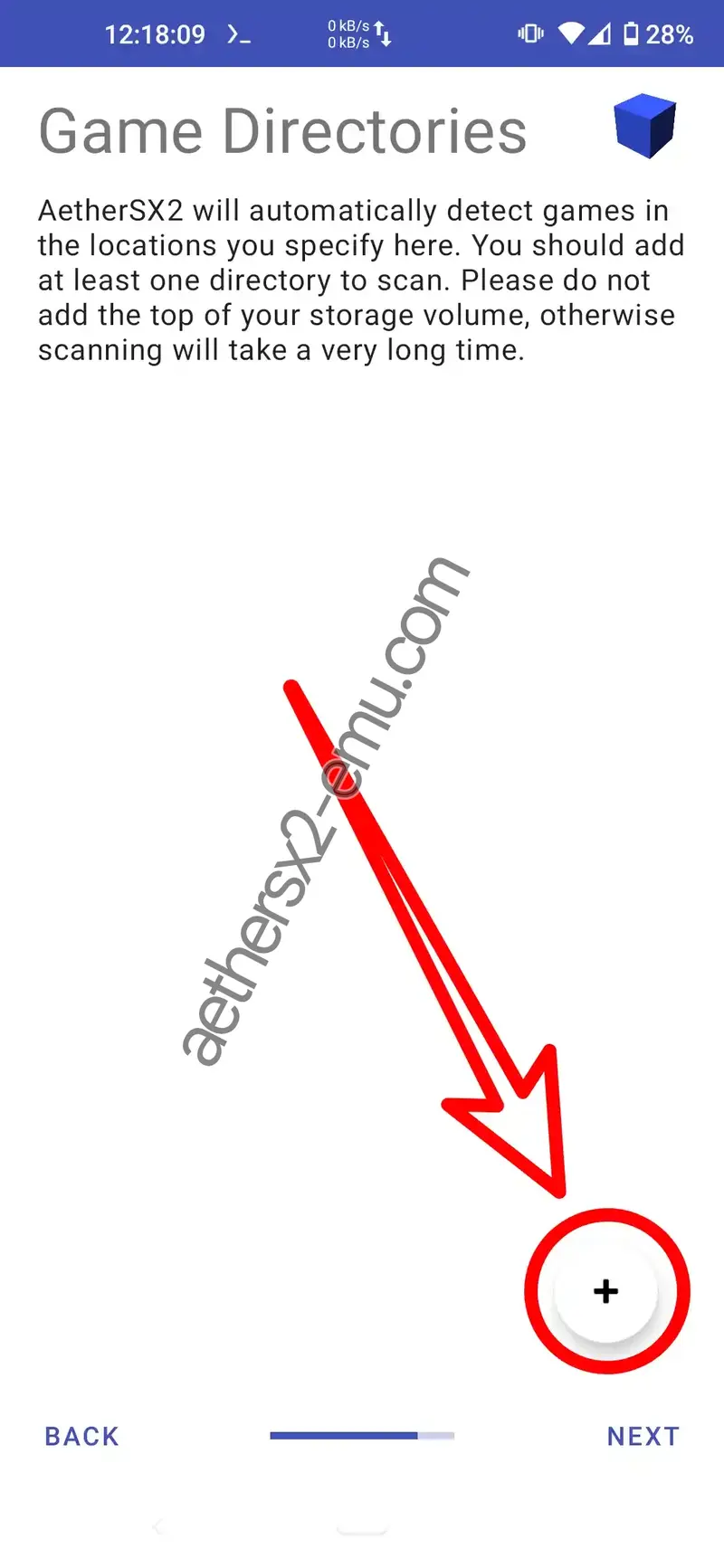
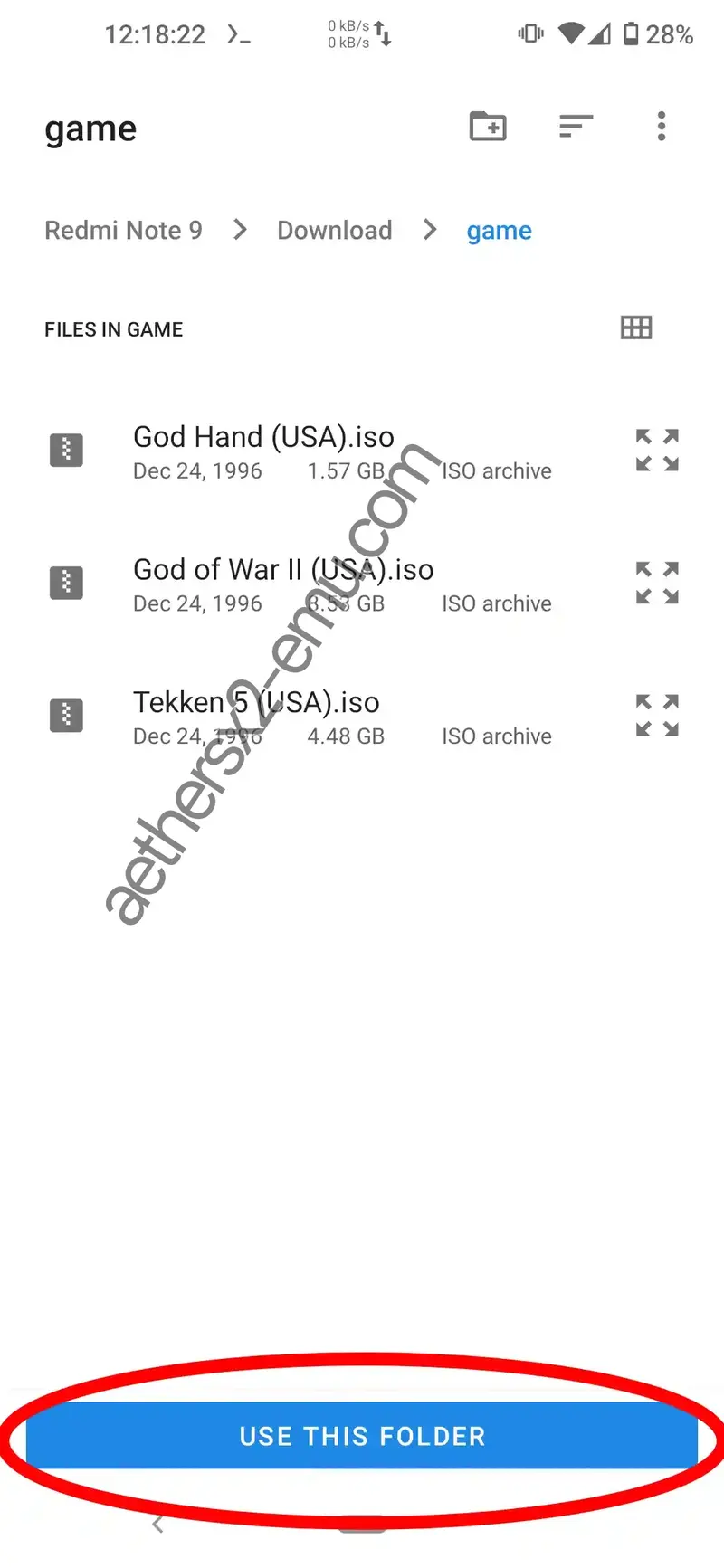
Select the game folder
Find the directory where you saved your game, AetherSX2 will automatically scan the games in that directory.
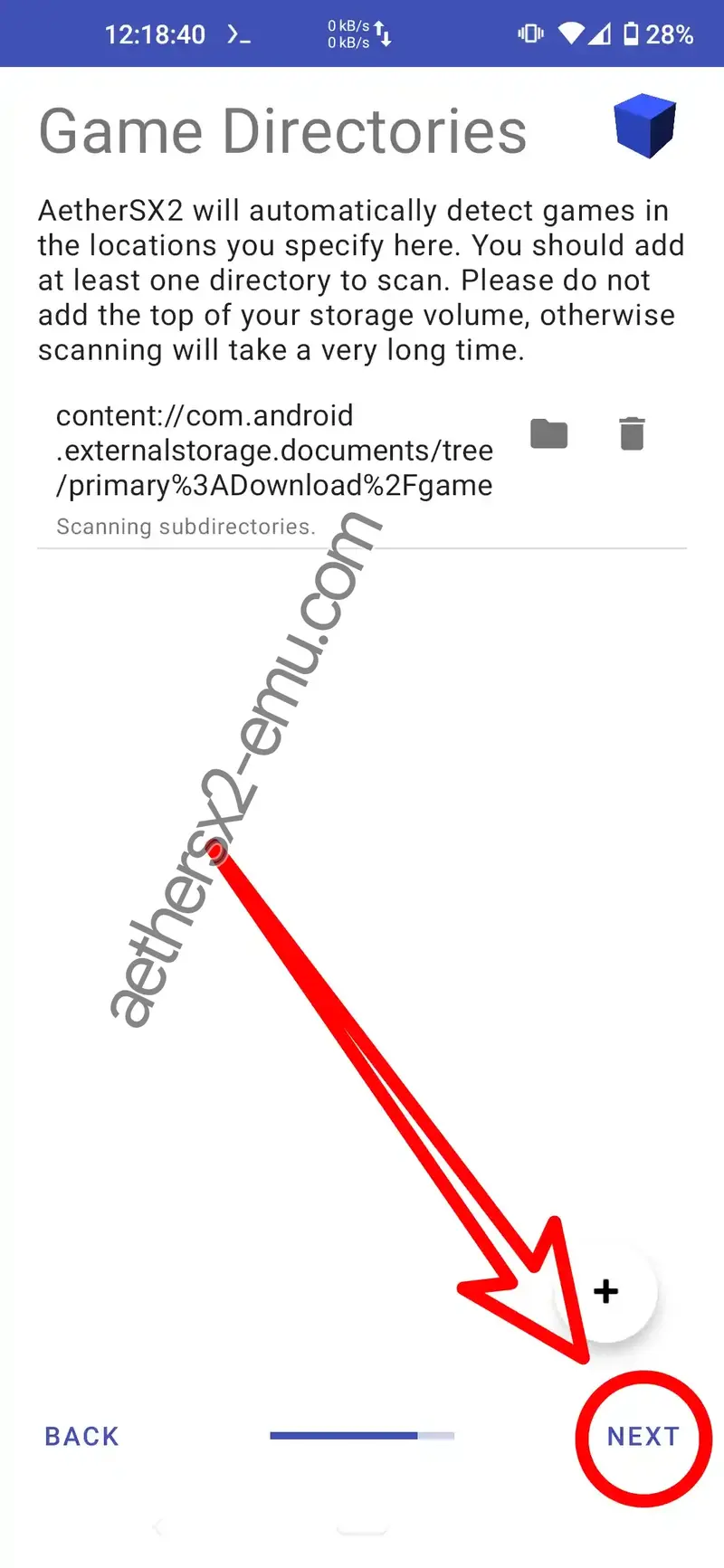
Continue setup
After the game scan is complete, tap Next.
Finish
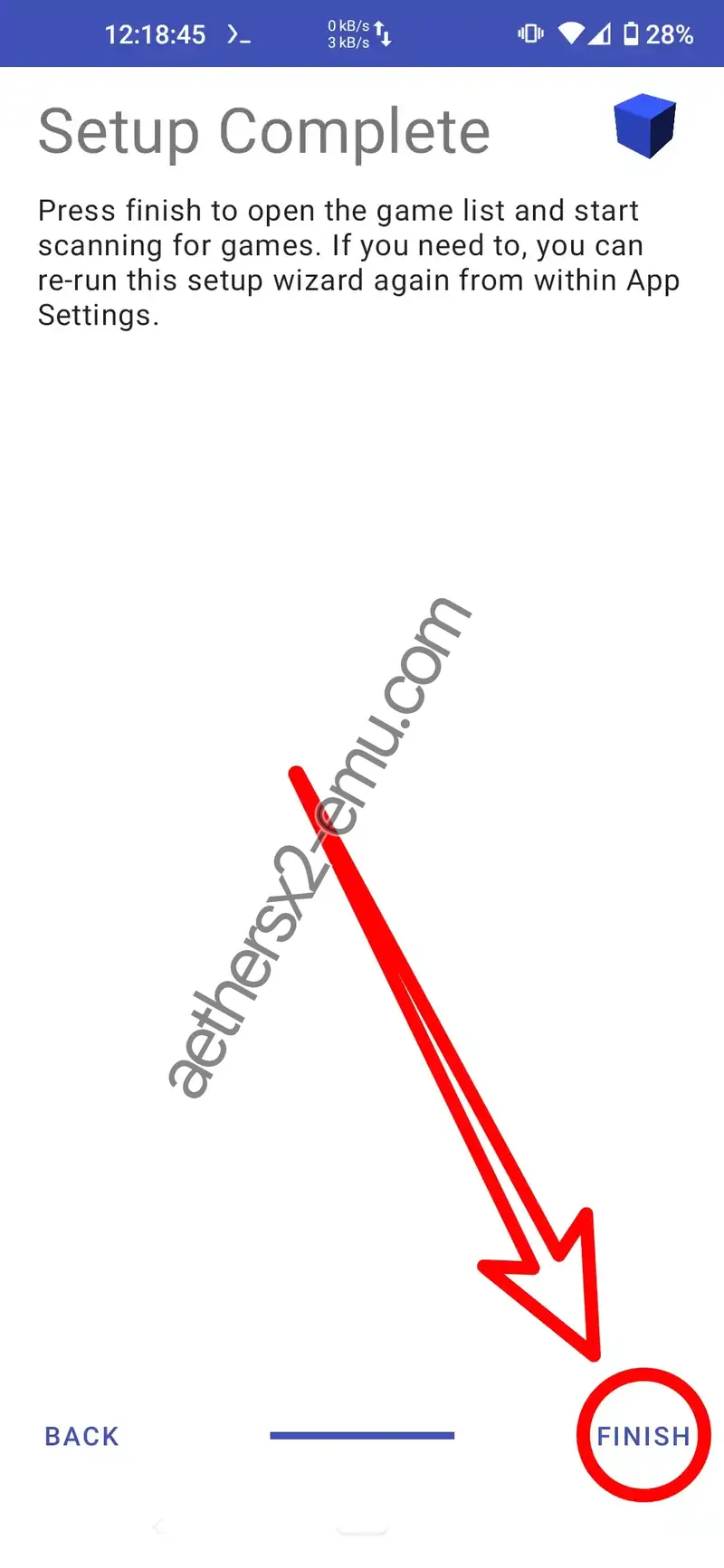
You're all set! Tap Finish to complete the initial setup.
Run your game
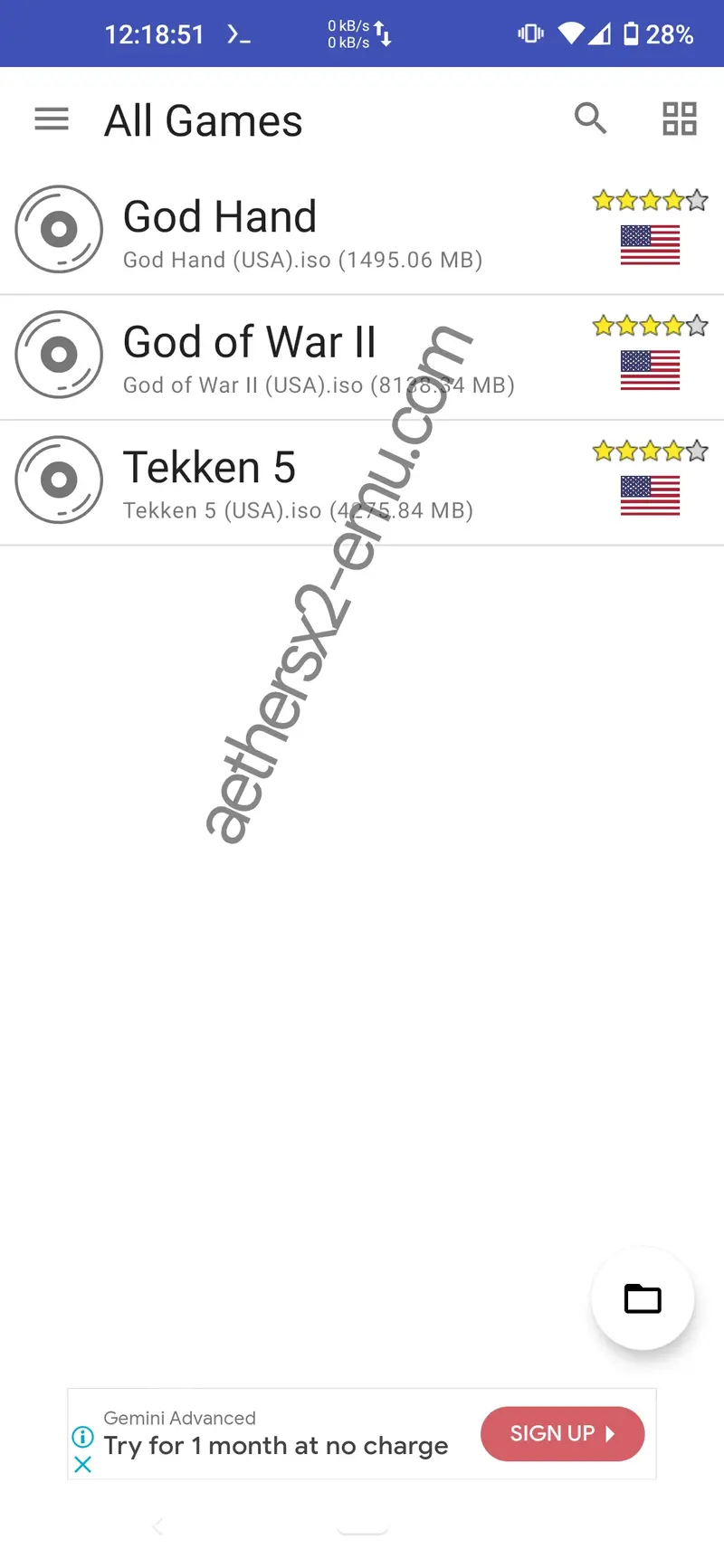
Setup is complete. You will now see your game list. Tap on a game to start playing!
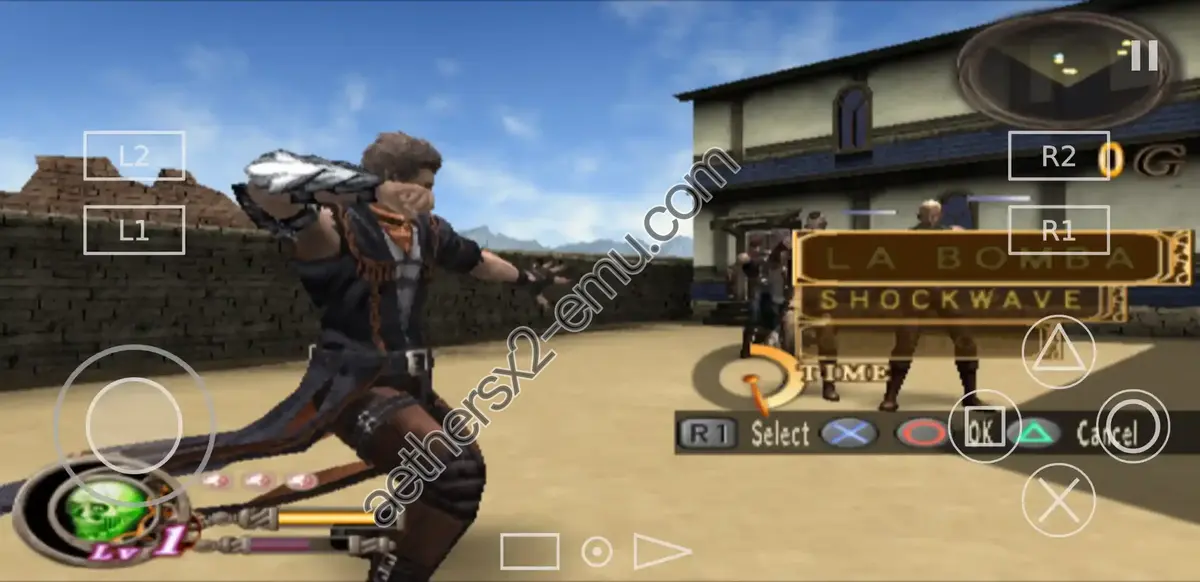
AetherSX2 playing God Hand — test
Setup is complete. You will now see your game list. Tap on a game to start playing!
AetherSX2 system requirements
To play PS2 games smoothly on AetherSX2, here are the minimum and recommended specifications for each platform.
Android
Minimum
- SoC:Snapdragon 780 or Helio G88
- Android:8.1 (Oreo) — performance issues may occur
- RAM:4 GB
- Storage:16 GB free
Recommended
- SoC:Snapdragon 860 or Dimensity 900 or better
- Android:10 or higher
- RAM:6 GB or 8 GB
- Storage:32 GB free
macOS
Minimum
- Processor:Intel Core i5 (6th gen) or Apple M1
- macOS:11 (Big Sur)
- RAM:4 GB
- Graphics:Intel Iris Graphics
- Storage:20 GB free
Recommended
- Processor:Intel Core i7 (8th gen) or Apple M2 or better
- macOS:12 (Monterey) or later
- RAM:8 GB or 16 GB
- Graphics:Dedicated GPU or Apple Silicon
- Storage:50 GB free on SSD
Linux
Minimum
- Processor:Intel Core i3 (10th gen) or AMD Ryzen 3
- Distribution:Ubuntu 20.04 or similar
- RAM:4 GB
- Graphics:OpenGL 3.3 / Vulkan compatible
- Storage:20 GB free
Recommended
- Processor:Intel Core i5 (11th gen) or AMD Ryzen 5 or better
- Distribution:Ubuntu 22.04 or later
- RAM:8 GB or 16 GB
- Graphics:NVIDIA GTX 1050 / AMD RX 560 or better
- Storage:50 GB free on SSD
Windows
Minimum
- CPU:Intel Core i5-2500 or AMD Ryzen 3 1200
- RAM:4 GB
- GPU:NVIDIA GTX 750 or AMD Radeon R7 260
- Storage:20 GB free
- OS:Windows 10 (64-bit)
Recommended
- CPU:Intel Core i5 (8th gen) or AMD Ryzen 5 or better
- RAM:8 GB or 16 GB
- GPU:NVIDIA GTX 1050 or AMD RX 560 or better
- Storage:50 GB free on SSD
- OS:Windows 11 (64-bit)
iOS
Minimum
- Chip:Apple A12 Bionic (iPhone XS, XR, iPad Air 3)
- iOS:15.0 or newer
- RAM:4 GB
- Storage:20 GB free space
Recommended
- Chip:Apple A15 Bionic or newer (iPhone 13/14/15, iPad Mini 6)
- iOS:17.0 or newer
- RAM:6 GB or more
- Storage:50 GB free space
Common questions and answers
Everything people usually ask before installing AetherSX2.
Popular AetherSX2 games
PS2 titles the community plays most on the emulator right now.
God of War I
God of War I is an exciting game worth trying on AetherSX2. You'll be taken on an adventure alongside Kratos as he fights for revenge against Ares, the god of war. You can play God of War I smoothly on the AetherSX2 emulator with the right configurations, of course.
God of War II
God of War II is one of the most popular games on AetherSX2, a must-try. This game's story continues the story of the first God of War series, where Kratos returns to continue his adventure after becoming the new god of war.
God Hand
God Hand is an action game that's still widely played on AetherSX2. This game is incredibly exciting, especially its adventure, with several skill combos you can use to defeat enemies. This game is responsive and smooth on AetherSX2 without any issues.
PES 2025
PES 2025 is a popular soccer game on the AetherSX2 emulator. The game has been updated to the 2025 version, featuring new players, transfers, and more. For a smooth gaming experience, we recommend adjusting your controller settings to suit your playing style.
Mortal Kombat Shaolin Monks
Mortal Kombat Shaolin Monks is a fun and quite popular PS2 game on AetherSX2. You'll be presented with an adventure game where you defeat enemies with characters possessing unique skills, combos, and moves. This game runs smoothly on AetherSX2.
Grand Theft Auto: San Andreas
Grand Theft Auto: San Andreas is the most popular game on the PS2 and the AetherSX2 emulator to date. This legendary open-world game features real-life gameplay, including bike racing, gang fighting, haircuts, car driving, and more.
Devil May Cry 3
Devil May Cry 3 is an exciting action-adventure game that's quite popular among AetherSX2 Emulator users. In this game, you'll be taken on the adventure of a young man named Dante, who hunts demons and ultimately confronts his own brother.
Bully
Bully is a PS2 game that's still widely played on AetherSX2. This game takes you through the life of a teenager at school, with several missions against gangs and encounters with other acquaintances. The game runs smoothly on AetherSX2 without any issues.
Need for Speed: Underground 2
Need for Speed: Underground 2 is a popular street racing game that's still widely played on AetherSX2. Compete in Circuit, Sprint, Drift and Drag modes throughout the city of Bayview, and customize your car's engine, body, rims and neon lights.
Burnout 3: Takedown
Burnout 3: Takedown is one of the most exciting arcade racing games available on the PS2 console or the AetherSX2 emulator. It rewards you for crashing into other racers' cars in spectacular fashion, called Takedowns.